
1. Pick a mode
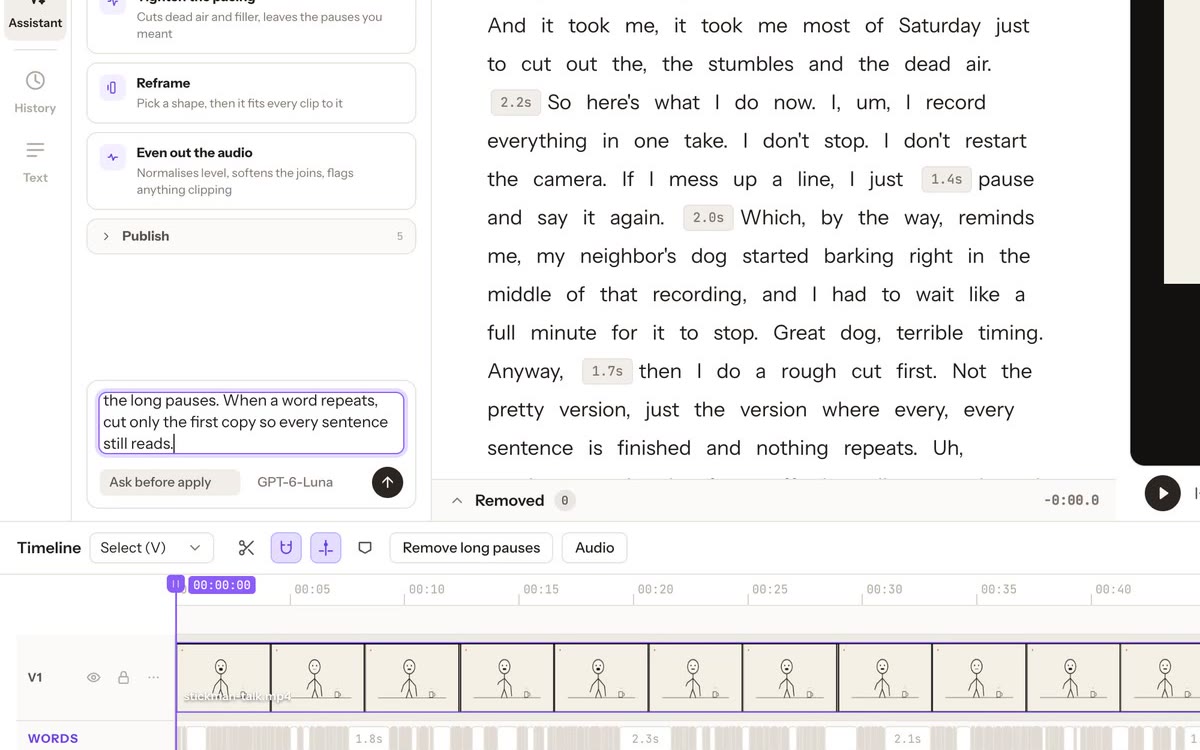
The mode sits under the message box.
- Plan only: proposals, nothing applied. New chats start here. Approving a change moves the conversation to Ask before apply, and the app says so.
- Ask before apply: review proposals, then approve one reversible batch.
- Full access: the agent’s plan may be applied directly.
2. Ask, and watch it plan
Describe the edit. The panel shows each step (reading the transcript, planning, checking word boundaries and protected ranges), then Plan ready for review. In the recording, planning took 53 seconds.
3. Read the plan
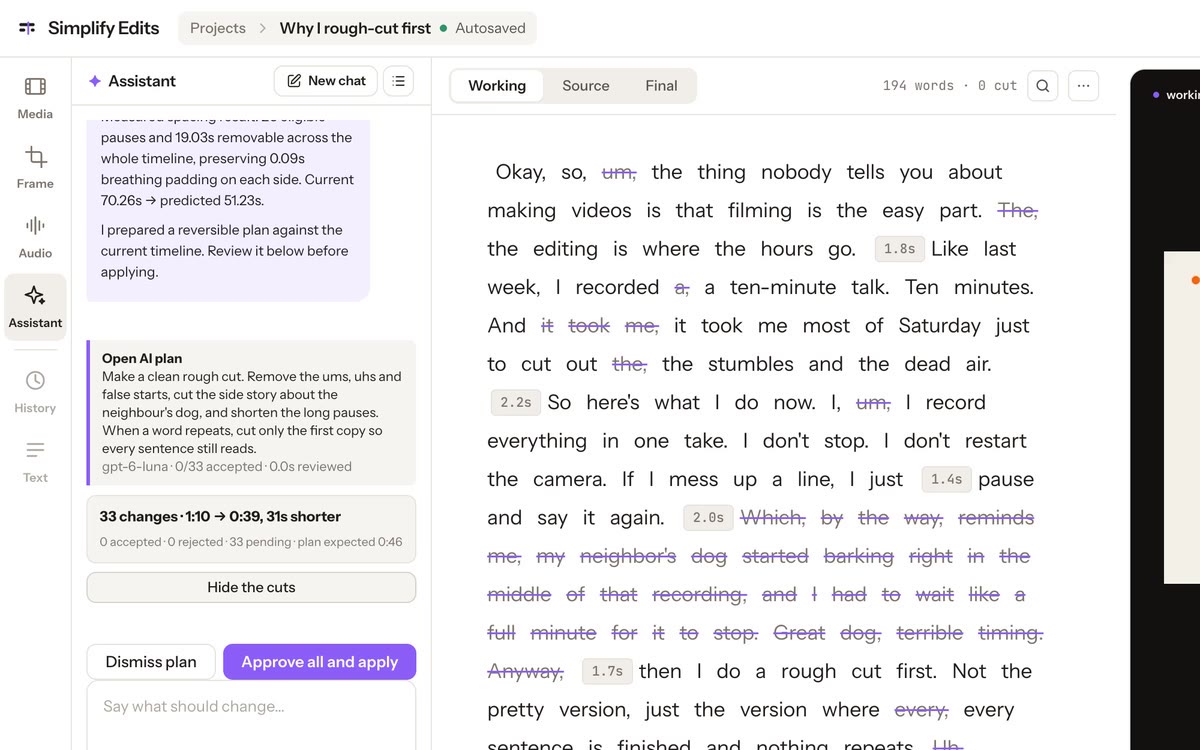
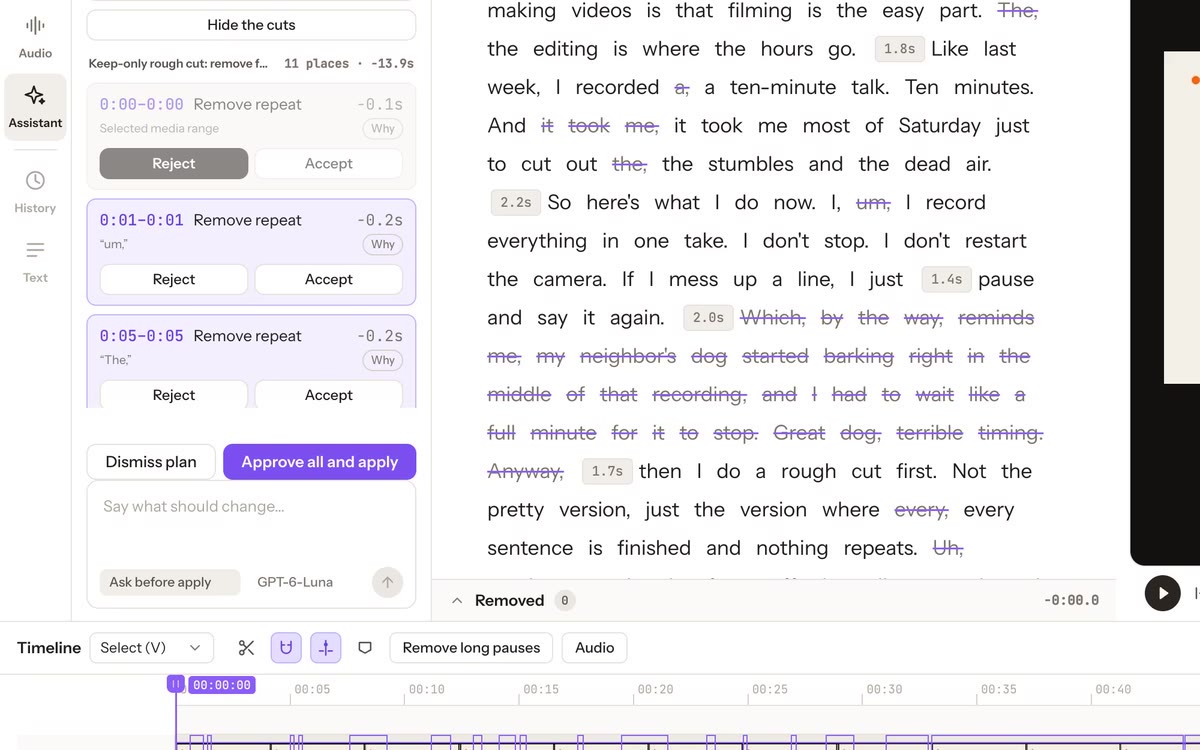
The plan is summarised in the chat, crossed out in the transcript and boxed on the timeline. See the cuts lists every change with its time range, the words involved, the time it saves and a Why.
4. Accept, reject, then apply
Reject anything you disagree with. Approve all and apply applies everything not rejected, as one edit. Dismiss plan drops it.
5. Undo and Redo
Undo and Redo sit at the top right. One Undo reverses the whole applied plan; Redo puts it back.